If you have text-based data in your spreadsheet and want to turn it into clear tables, this app is for you.
XLSurveySlicer
Lite
by Maxi Research
There hasn’t really been a simple way to work with text data in spreadsheets — a tool almost everyone uses every day.
Now there’s an app that can turn text-based spreadsheet data into tables instantly — surveys, categories, tags, and more.
A Google Sheets™ add-on.
Freemium.
XLSurveySlicer Lite is a Google Sheets™ add-on that turns Google Forms™ survey data into clear tables and insights in minutes.
It automatically summarizes responses—including checkbox-type questions, which store multiple answers in a single cell separated by commas, making them difficult to count and analyze manually. XLSurveySlicer Lite handles that instantly, turning checkbox data that can’t be processed by standard spreadsheet formulas into data ready for table generation.
You can also use XLSurveySlicer Lite with survey data from other tools. Just make sure your data is formatted like Google Forms™ responses in Google Sheets™—a simple format where each row represents data from a respondent, and each column represents an answer to a question.
And it’s not limited to surveys. XLSurveySlicer Lite works with any text-based spreadsheet data—product categories, feedback tags, status labels, and more—making it useful for a wide range of analysis tasks beyond traditional surveys.
XLSurveySlicer Lite can generally handle datasets up to 10,000 rows, depending on the number of columns in the data.
Built for students, researchers, office administrators, and consultants, XLSurveySlicer Lite delivers fast, reliable results that make understanding your data effortless. With just a few clicks, you can go from raw text data in spreadsheets to tables, ready for charts, reports, or internal documents.
Google Forms™ and Google Sheets™ are trademarks of Google LLC.
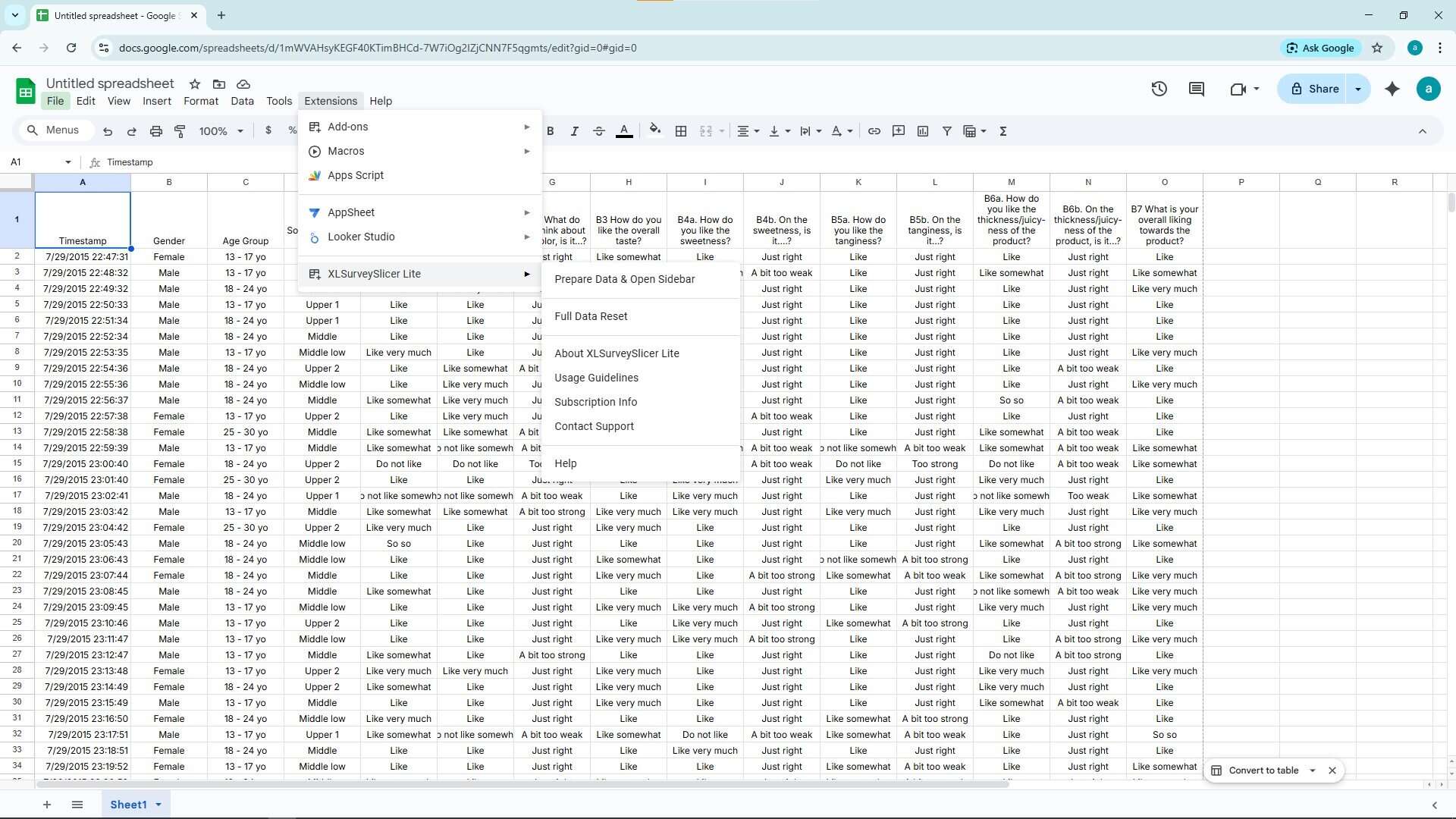
In your Google Sheets™, go to Extensions → XLSurveySlicer Lite
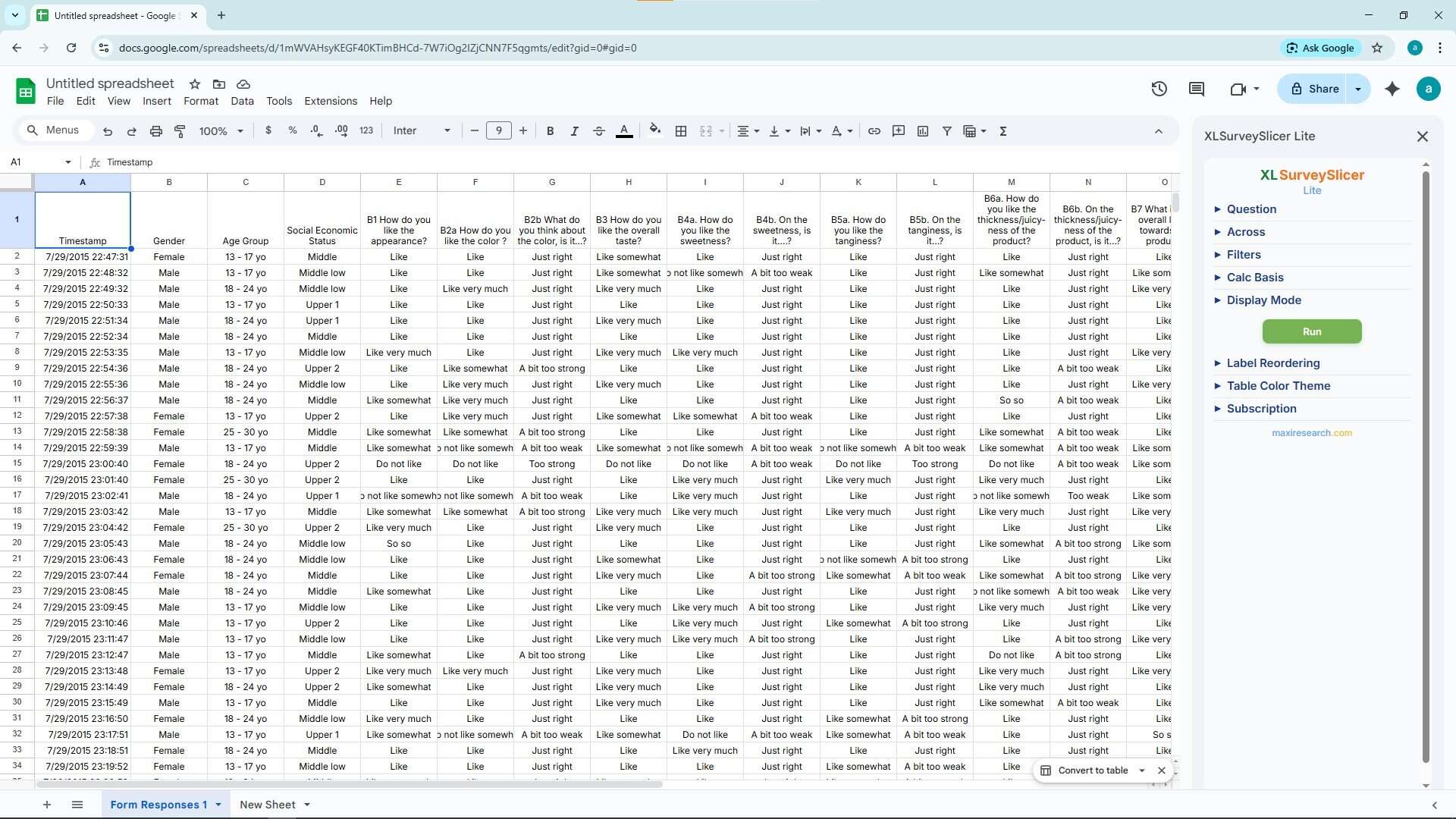
Prepare your data and open the XLSurveySlicer Lite sidebar
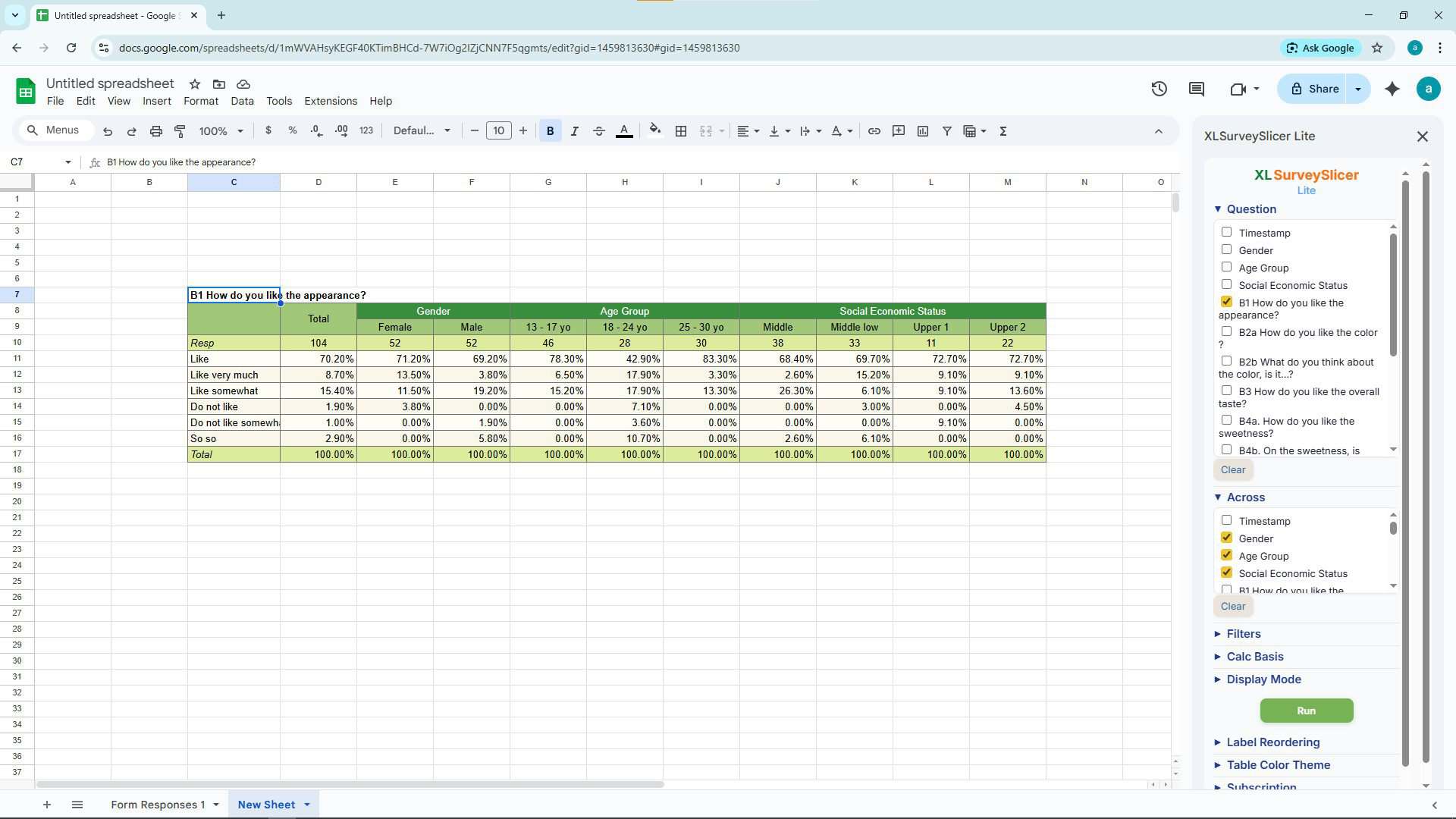
Select questions and click Generate Tables
Watch Demo
See XLSurveySlicer Lite in action
- After installing XLSurveySlicer Lite, you get a 30-day free trial with full access to all features.
- You’ll also receive 2 gift codes — each unlocks a free 1-month license that you can share with friends who need the add-on.
After the trial: - Summary tables remain free forever
- Advanced features (Across and Filters) are available with a subscription, which you can turn on only when you need them:
$1 – 1-month subscription
$10 – 1-year subscription - Alternatively, you can activate as many gift codes from friends as you like. Each gift code unlocks full features for 1 month.
- If your subscription ends, the add-on simply goes back to Summary Tables Only.
- If you renew before it expires, your new subscription period is added on top of your current one.